GUI
Not part of the hosted product
G6 is hosted: you reach it over MCP by pointing Claude Code (or any MCP client) at the server. There is no desktop app to install and no self-hosted deployment. This page documents a surface that exists in the repository but is not part of the hosted product today — it is kept as engineering reference, not as instructions for customers.
The GUI is a local browser-based workbench for managing G6 runs, reviewing HITL decisions, inspecting reasoning artifacts, and training models. It runs entirely on your machine — no data leaves localhost.
Overview
In a development source checkout, the same launcher is available as a module:
The GUI consists of two processes started automatically:
- GUI API — FastAPI sidecar on port 8001 (see GUI API Reference)
- Static server — serves the Next.js export on port 3002
Both bind to 127.0.0.1. The launcher auto-selects available ports if defaults are busy, generates a session token, and opens your browser.
Architecture
graph LR
    Browser["Browser<br/>(localhost:3002)"] -->|X-G6-GUI-Token| API["GUI API<br/>(localhost:8001)"]
    API --> Service["ReasoningChainService"]
    Service --> Artifacts["Run artifacts<br/>(JSON files)"]
    Service --> Registry["ComponentRegistry"]
    Service --> Learning["LearningLayerBlock"]
The frontend is a Next.js 14 static export (projects/g6_gui/out/). All data flows through the GUI API — the frontend makes no direct file system access.
Token authentication: the desktop launcher generates a token_urlsafe(32) token, passes it to the API via environment variable and to the browser via URL query parameter. The frontend stores it in localStorage.
Views
The GUI presents 8 views accessible from the sidebar navigation:
| View | Icon | Description |
|---|---|---|
| Dashboard | Create and load runs, view run summaries, recent runs list | |
| Artifacts | Three-column inspector for assessment, execution, and evaluation JSON | |
| Goal Tree | Interactive collapsible tree of decomposed goals and subtasks | |
| Reasoning Flow | Step-by-step reasoning chain with evidence links | |
| Approvals | HITL task queue — approve, reject, or comment on pending decisions | |
| Chat | AI-backed Q&A with source citations from loaded artifacts | |
| Learning | Dataset builder, model training, theory extraction, export/import | |
| Settings | Onboarding checklist, OpenRouter setup, license activation, updates, diagnostics |
Dashboard
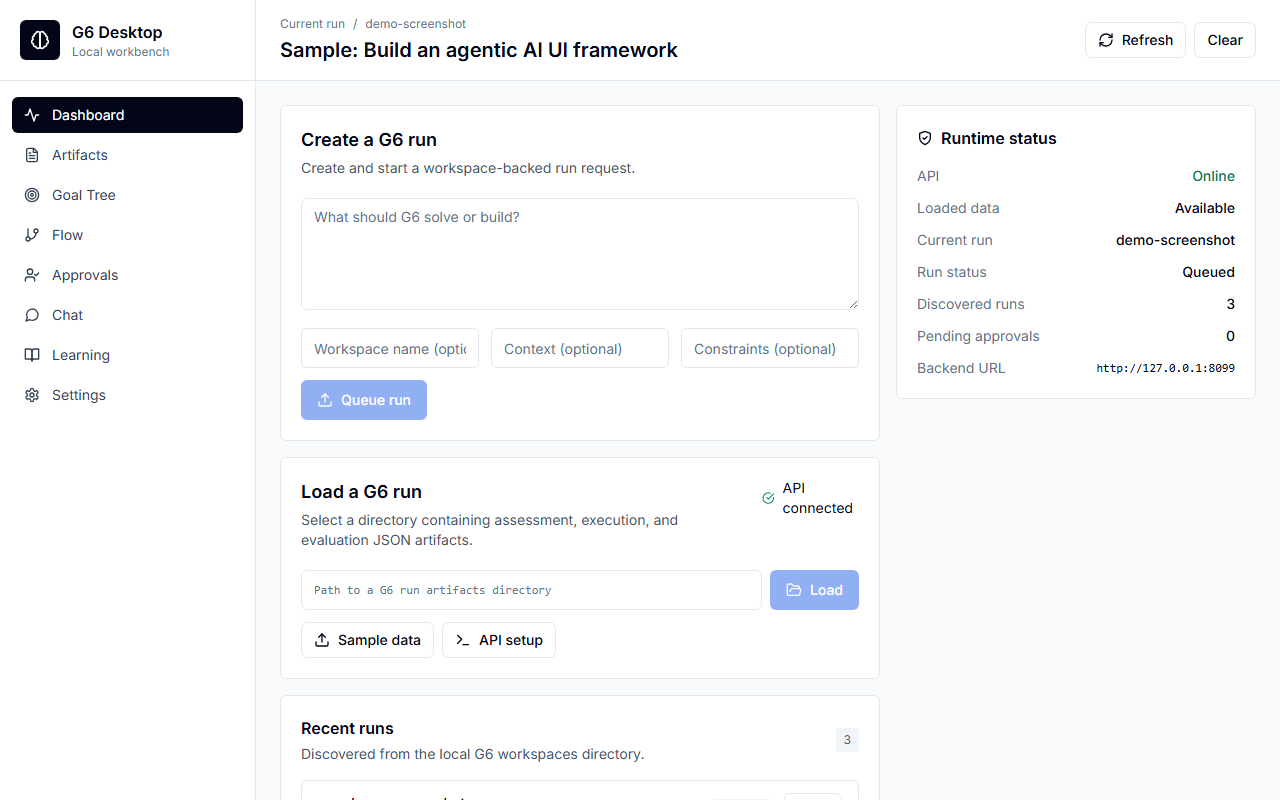
The dashboard is the entry point for run management:
- Create a run — specify goal, context, constraints, workspace name, recursion depth, breadth, and priority
- Load from directory — open a previous run's workspace
- Recent runs — auto-discovered from
~/.g6/g6_workspaces/ - Run summary — field counts for assessment, execution, and evaluation artifacts
- Start / Stop — control run execution from the dashboard
Active runs (status queued or running) show a live indicator and auto-refresh.
Artifacts
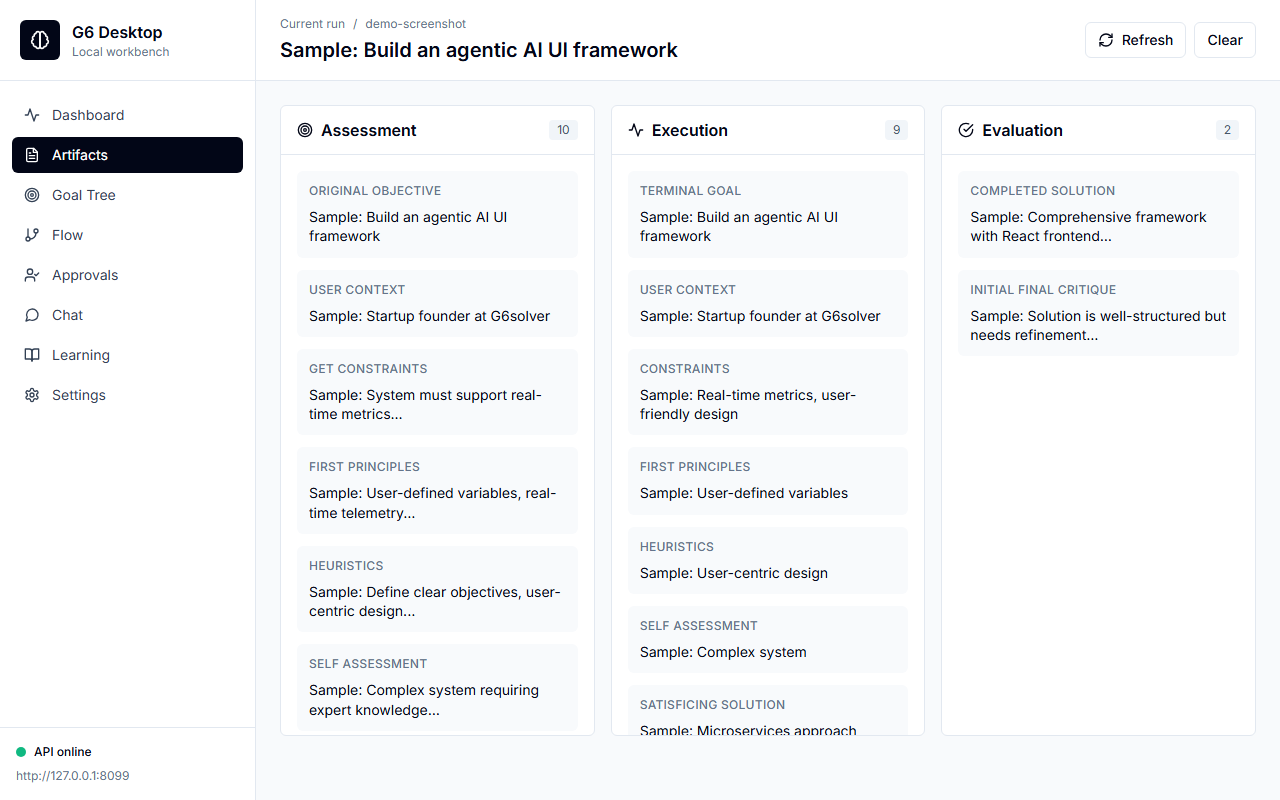
The artifacts view presents a three-column inspector for assessment, execution, and evaluation JSON. Each column displays the raw fields from the corresponding reasoning phase, with smart formatting that detects Python dicts, JSON objects, markdown, and plain text.
Goal Tree
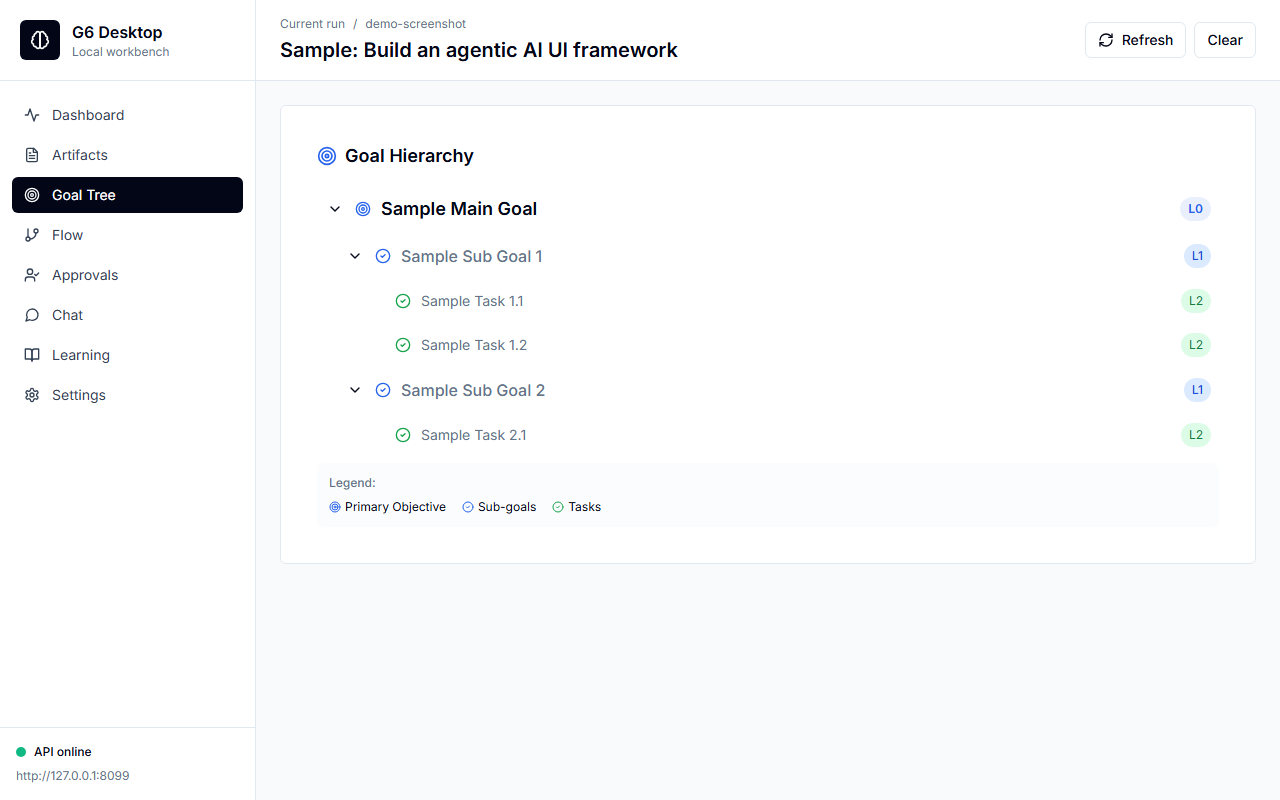
The goal tree renders the decomposed goal hierarchy as an interactive collapsible tree. Nodes are colour-coded by level — primary goals (red), sub-goals (blue), and tasks (green) — with level badges (L0, L1, L2) and click-to-select behaviour.
Reasoning Flow
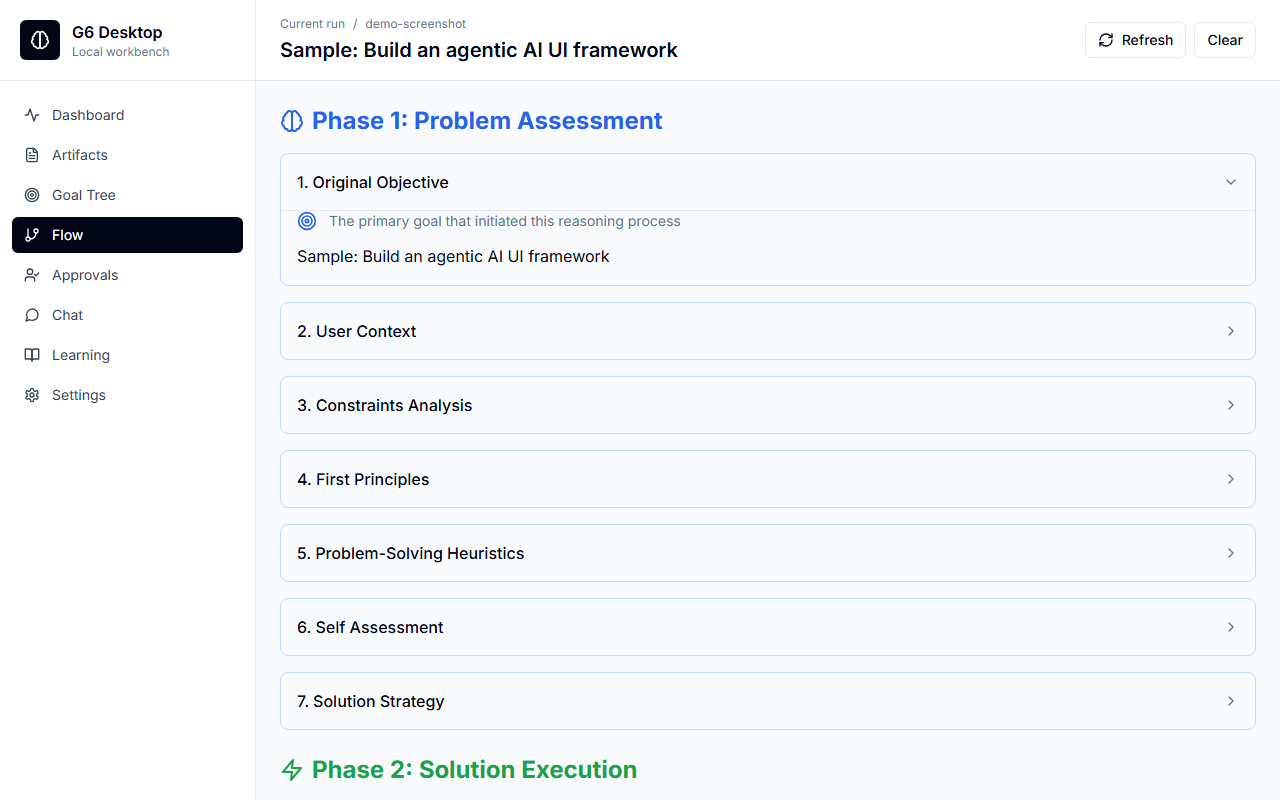
The reasoning flow presents the step-by-step reasoning chain as a three-phase timeline (Assessment → Execution → Evaluation) with collapsible sections and evidence links. Each phase shows numbered steps and a summary timeline at the bottom.
Approvals (HITL)
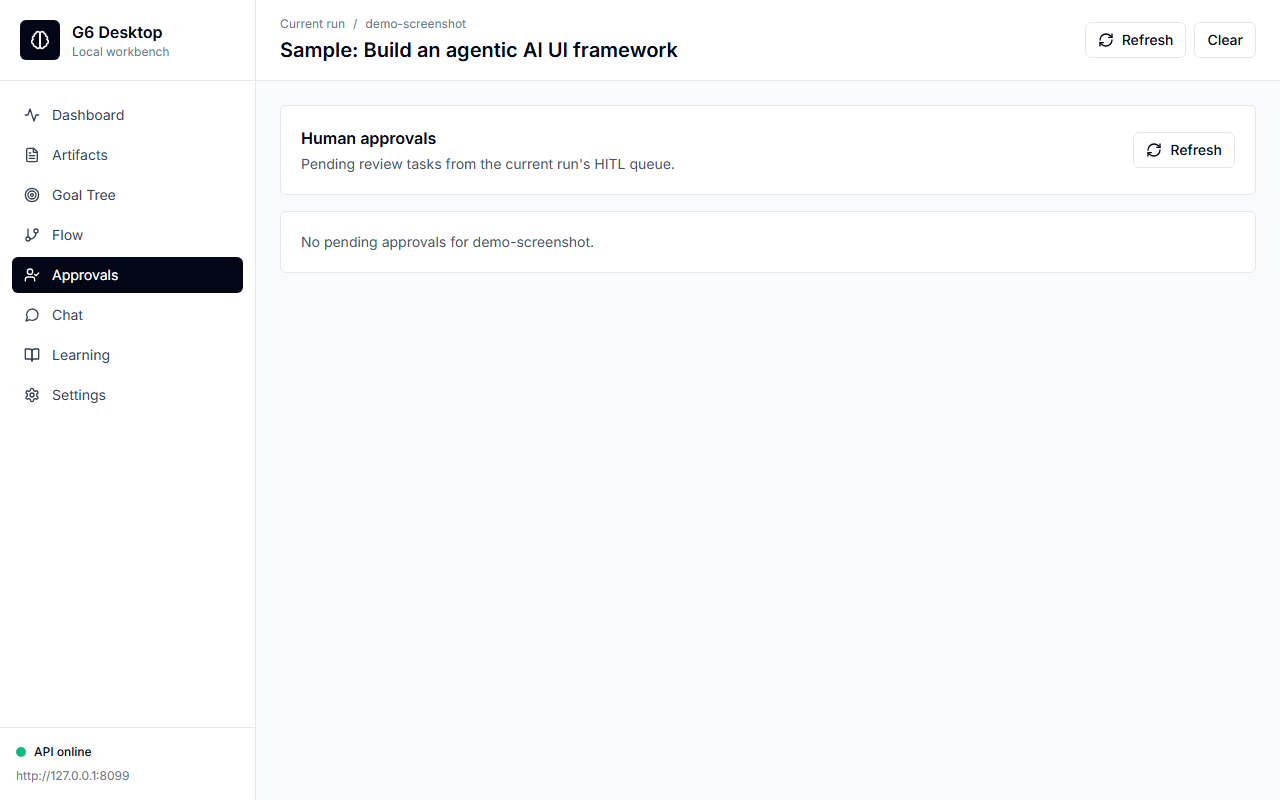
The approvals view displays pending human-in-the-loop decisions as cards:
| Field | Description |
|---|---|
| Breakpoint name | Which safety gate triggered (e.g. before_execute, resource_limit) |
| Node goal | The subtask requesting approval |
| Trigger reason | Why the breakpoint fired |
| Metacognitive prompt | AI-generated question to help you decide |
Each card has Approve and Reject buttons with an optional comment field. You can also provide a human prediction and confidence score for calibration tracking.
The view auto-refreshes every 3 seconds during active runs.
Chat
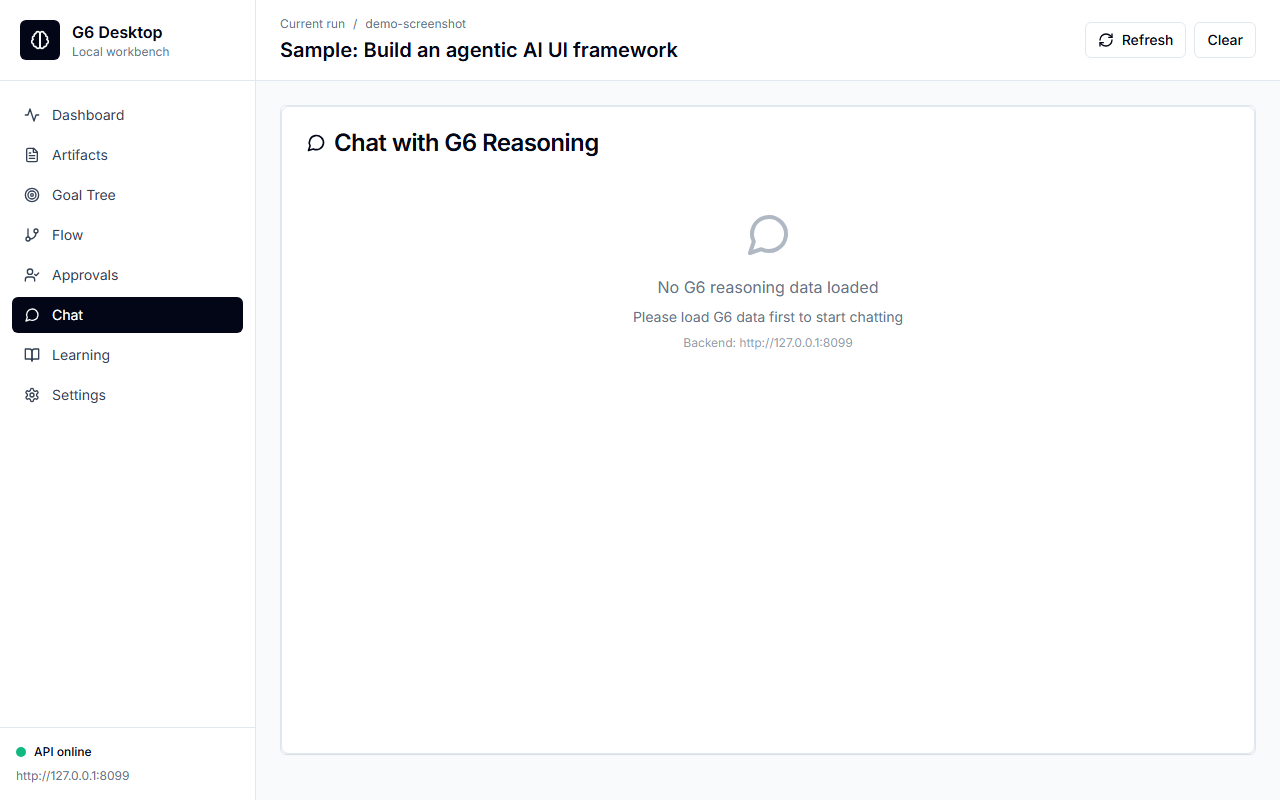
The chat view provides AI-backed Q&A against loaded artifacts. Responses include source citations linking back to specific fields in the assessment, execution, or evaluation data. A backend selector lets you choose between local summary extraction, external models, or a Codex CLI subprocess.
Learning
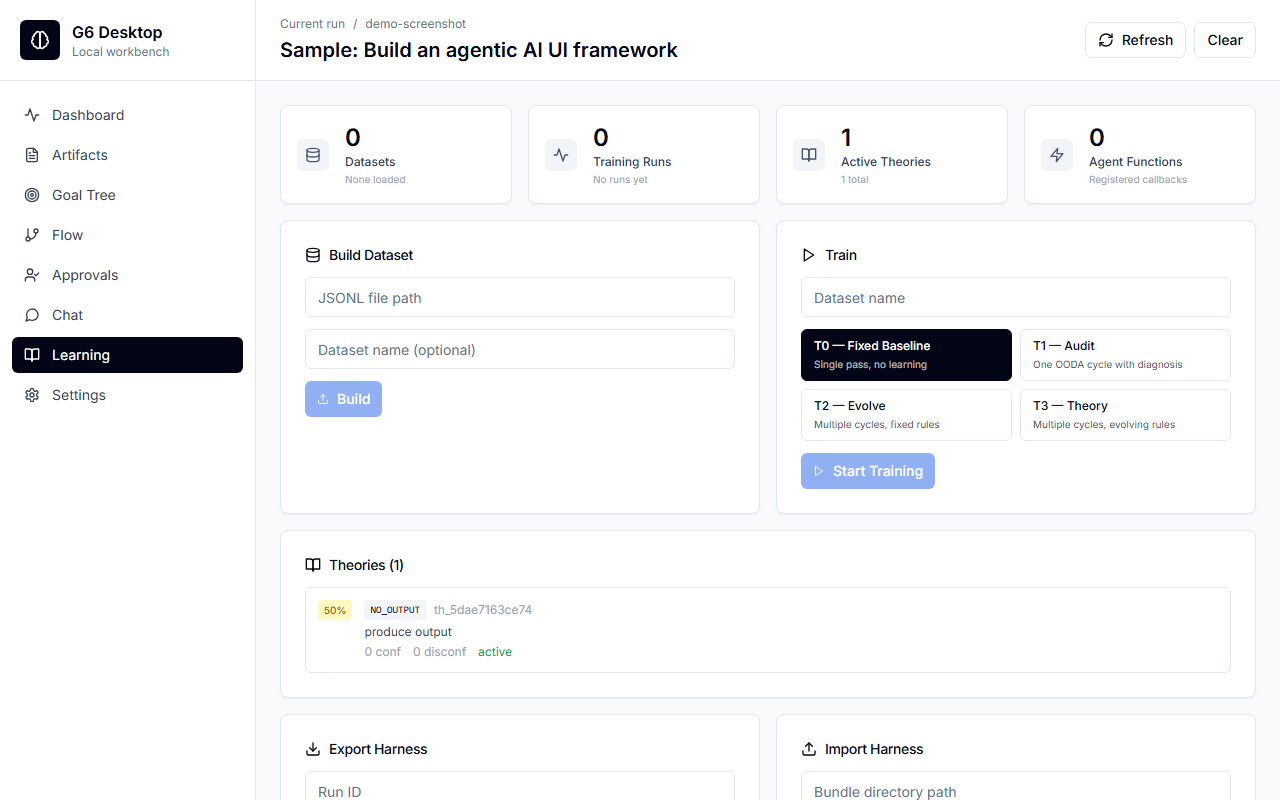
The learning view provides a 4-step workflow:
- Build dataset — select a source directory, create a named training dataset
- Train — train a model on the dataset with a T0-T3 strategy
- Evaluate — run evaluation metrics on the trained model
- Export / Import — save or load learning harnesses for portability
Theory extraction shows discovered rules and patterns from training runs.
Settings
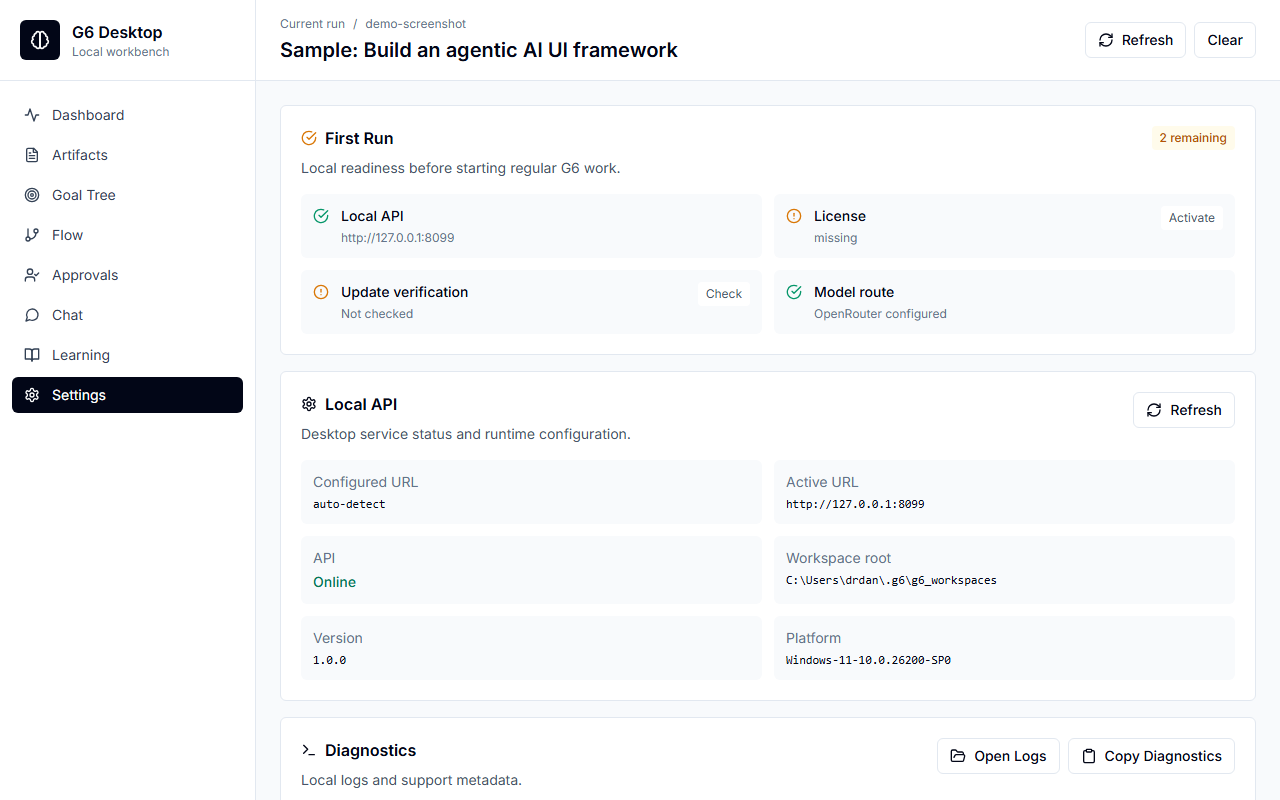
The settings view includes:
- Onboarding checklist — API connectivity, license status, update check, model availability
- OpenRouter setup — save or clear your own
sk-or-...API key for cloud model synthesis - License activation — enter API key and passphrase to activate
- Update check — compare current version against latest release with SHA256 verification
- Diagnostics — copy diagnostic text to clipboard, open log folder
The OpenRouter panel stores the key locally in ~/.g6/.env as OPENROUTER_API_KEY. The GUI shows whether a key is configured and the local config path, but never displays the saved key. After saving, the OpenRouter chat backend appears in the Chat backend selector.
Environment variables
| Variable | Default | Description |
|---|---|---|
G6_GUI_DIST | (auto-detect) | Path to exported GUI static files |
G6_GUI_URL | (unset) | Use an external frontend URL instead of local static server |
G6_GUI_AUTH_TOKEN | (auto-generated) | Override session auth token |
G6_GUI_API_HOST | 127.0.0.1 | API bind address |
G6_GUI_API_PORT | 8001 | API bind port |
G6_GUI_FRONTEND_PORT | 3002 | Static server port |
NEXT_PUBLIC_G6_API_URL | http://localhost:8001 | API URL for the frontend (build-time) |
OPENROUTER_API_KEY | (unset) | Optional OpenRouter key; desktop GUI can save this to ~/.g6/.env |
The desktop launcher searches for the GUI export in this order:
G6_GUI_DISTenvironment variablebases/mvp/desktop/gui/gui/(workspace root)projects/g6_gui/out/- Next to the Python executable
Desktop launcher flags
When launched via g6 --gui, these additional flags are available:
| Flag | Description |
|---|---|
--host | API bind host (default: 127.0.0.1) |
--port | API bind port (default: 8001) |
--frontend-port | Static server port (default: 3002) |
--frontend-url | Use existing frontend URL (skip static server) |
--no-browser | Don't auto-open browser |
Source files
| File | Purpose |
|---|---|
projects/g6_gui/src/app/page.tsx | Main page — view routing, run management, state |
projects/g6_gui/src/app/layout.tsx | Root layout, global styles |
projects/g6_gui/src/lib/g6-loader.ts | API client — token handling, URL detection, fetch helpers |
projects/g6_gui/src/lib/utils.ts | Goal tree extraction, utility functions |
projects/g6_gui/src/components/chat-interface.tsx | Chat view component |
projects/g6_gui/src/components/goal-tree.tsx | Goal tree view component |
projects/g6_gui/src/components/reasoning-flow.tsx | Reasoning flow view component |
projects/g6_gui/src/components/learning-dashboard.tsx | Learning view component |
projects/g6_gui/src/types/g6-data.ts | TypeScript type definitions |
bases/mvp/desktop/main.py | Desktop launcher — _run_gui(), port selection, process management |
See also
- GUI API Reference — the FastAPI backend powering this workbench
- CLI (TUI) — terminal-based alternative with the same capabilities
- Desktop — the launcher that orchestrates TUI, GUI, and MCP modes